RFD Telemetry
The HERCULES X4 Drone uses an RFD Telemetry Kit to establish communication between the drone and the ground control station. The telemetry operates on the following frequencies:
-
868 MHz for EU compliance.
-
915 MHz for FCC compliance.
Air Unit
Installed inside the drone.
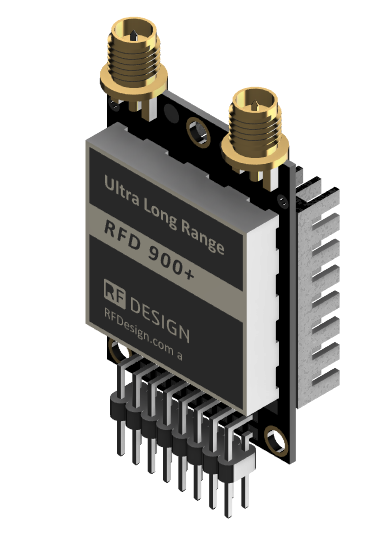
Ground Unit
Connected to the ground control station via USB.
Powered through the USB connection.
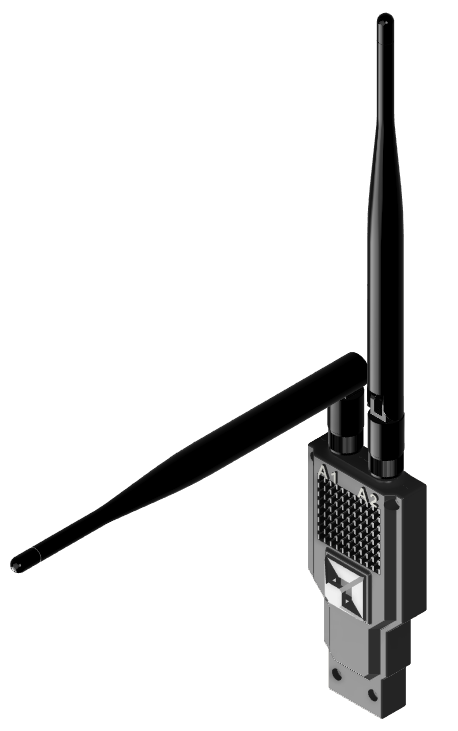
Configuration
RFD Tools
Internal parameters for both the Ground and Air RFD Units can be configured using RFD Tools, a software utility provided by RFDesign.
The tool allows users to monitor and adjust telemetry settings for optimal performance.
⚠️
FTDI Driver information.an197-serial-communications-guide.pdf 📄
Steps to Access and Configure RFD Modem Internal Parameters
-
Power on both units:
-
Air Unit: Ensure the drone is powered on.
-
Ground Unit: Connect it to the ground control station via USB.
-
-
Launch RFD Tools:
- Open the RFD Tools application on your computer.
-
Select the correct COM port:
- Choose the COM port corresponding to the Ground Unit.
-
Set Baud Rate:
- Set the baud rate to 57600.
-
Click Connect:
- Establish a connection between the Ground Unit and RFD Tools.
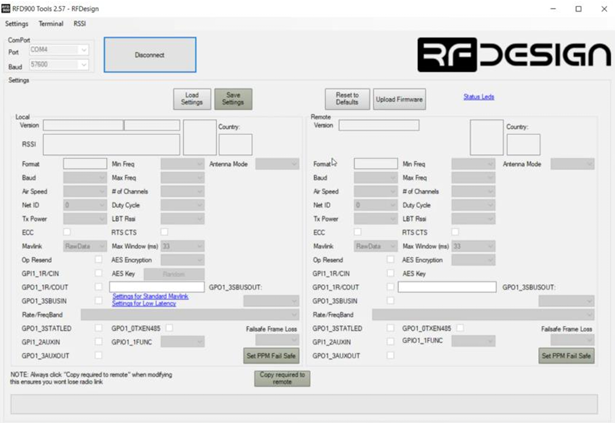
If both the Air and Ground Units are successfully paired, the parameter panels on the left and right will populate with numbers.
Establishing Connection in the GCS using RFD modems
Mission Planner
-
Open Mission Planner on your computer.
-
Select the COM PORT connection option.
-
Set the Baud Rate to 57600. to 57600.

- Click Connect to establish the connection.
UgCS
- Inside UGCS's
vsm-ardupilot.conf, enable the Serial Port connection and set the following values:
connection.serial.1.name=COM[0-9]+
connection.serial.1.baud.1 = 57600