Establishing Connection in the GCS using Doodle Labs wearable
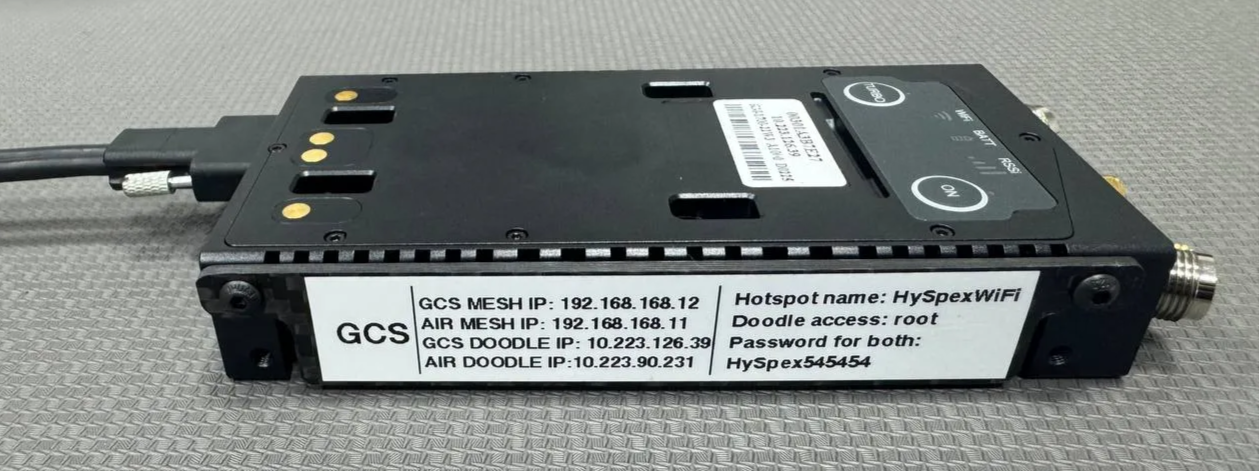
- You will find all the radio addresses information in a label located at the side of the radio.
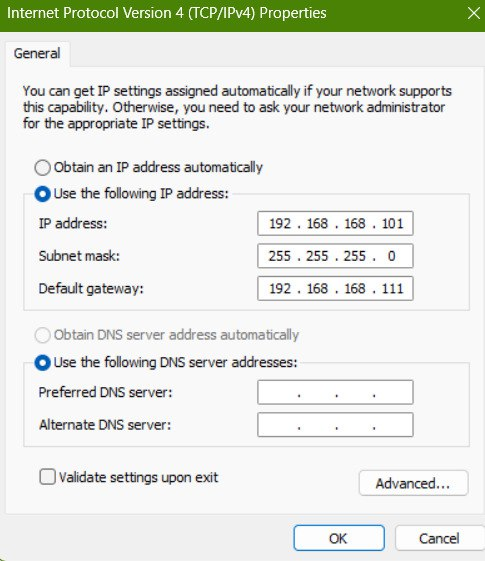
- If you are using Ethernet, make sure your network adapter is set correctly. This may vary depending your radio configuration
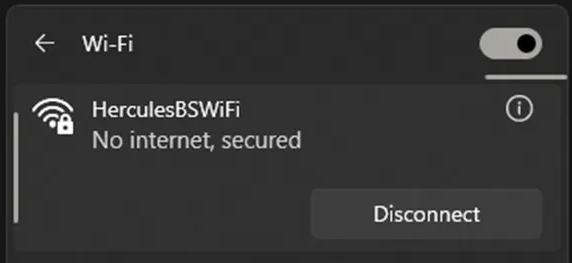
- If you are using the WiFi Hotspot, you will find the Hotspot name and password in the label
⚠️
- Network Name: Hercules BSWiFi (Standard configuration)
- PassWord: BS545454
⚠️
For optimal performance, it is recommended to keep the GCS and PC close to each other
Mission Planner
-
Open Mission Planner on your computer.
-
Select the UDPCI connection option.
-
Set the Baud Rate to 57600.
-
Input the following details:
-
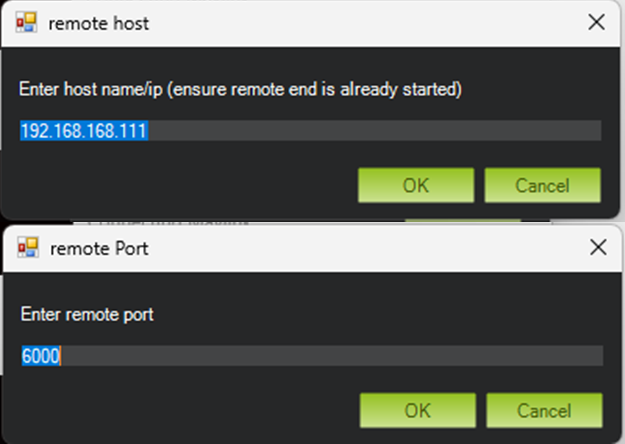
IP:
192.168.168.111(Default Version) or192.168.168.11(Hyspex Version) -
Port:
6000
-
-
Click Connect to establish the connection.
UgCS
-
For TCP communication:
-
Inside UGCS's
vsm-ardupilot.conf, enable the TCP connection and set the following values:
connection.tcp_out.1.port = 6000
connection.tcp_out.1.address = 192.168.168.111  // Default Version
// OR
connection.tcp_out.1.address = 192.168.168.11   // Hyspex Version
- For UDPCI communication (recommended)
connection.udp_in.1.local_port = 6000
connection.udp_in.1.local_address = 192.168.168.111 // Default Version
// OR
connection.udp_in.1.local_address = 192.168.168.11   // Hyspex Version